We’ve been testing the odd dashcam of late, and always look for the same thing: clear video and sound. Anything else is a bonus, and Navman MiVue PRO 4K has excellent video quality (NOTE: we produce our videos in 1080P).
Navman was once makers high-end of navigation systems, but as inbuilt systems became more ubiquitous, Navman saw the graffiti on the train, and started making navigation/dashcam combination units. They looked pretty sexy, but navigation systems are big, and most people will want to use CarPlay or Android Auto.
So, Navman developed stand-alone dashcams, and they are crackers. They work well, are clear and easy to use, easy to install, and work straight from the box. In fact, most people will probably never have to refer to the manual, such is the ease of working through the on-screen menu.
Navman MiVue PRO 4K is the new kid, and has the same size screen (2.7”) as my Navman Sensor XL DC.
Unlike the Sensor XL DC (which uses a suction cup), the Navman MiVue PRO 4K uses a 3M stick-on pad to secure to the windscreen. There is an electro-static plastic sheet that can be used in-between, to make removal easier should the need arise. It means the Navman MiVue PRO 4K is not transportable as such.
Design and Video quality:
Navman MiVue PRO 4K is a new direction for Navman. The casing is of decent quality, and although extremely lightweight, feels sturdy. The camera sits at the side of the unit and can be adjusted over a smallish range, but only up and down. The unit sits flat against the windscreen which means the screen is also at a sharply raked angle.
There is a rear camera option, and if not purchased from new, can be added later as an accessory.
The unit comes with a long mini-USB to 12V cord, an SD card (32gb front camera only, 64gb for dual camera models), a second electro-static plastic sheet, and the 3M mount. The camera can be removed from the mount which makes removing/inserting the SD card a bit easier.
TOP TIP: the SD slot is at the bottom of the unit, and if you drop the card, it is easily lost (as we did)
Video Review: 2023 Navman MiVue PRO 4K unboxing and REVIEW – Alan Zurvas GAYCARBOYS
2023 Viofo A119 Mini 2 dashcam unboxing and review
Help Support Gay Car Boys Subscribe to our Youtube Channel
- Top GayCarBoys Stories:
- Sexy Men Drive 2021 Toyota Yaris Cross
- 10 Sexiest MotoGP Motorcycle Riders
- DON’T Drive YOUR CAR until you’ve Checked if your AIRBAG will KILL YOU
- 10 Hottest Racing Drivers
- Top 12 Best Gay Lesbian LGBTI Luxury Cars
- Top 10 Gay Lesbian LGBT Cars
- Top 10 Gay Lesbian LGBT Sports Cars
- Top 15 gay and lesbian LGBT SUVs
- Talented Twinks – Callum Ilott Virtually Races Arthur Leclerc


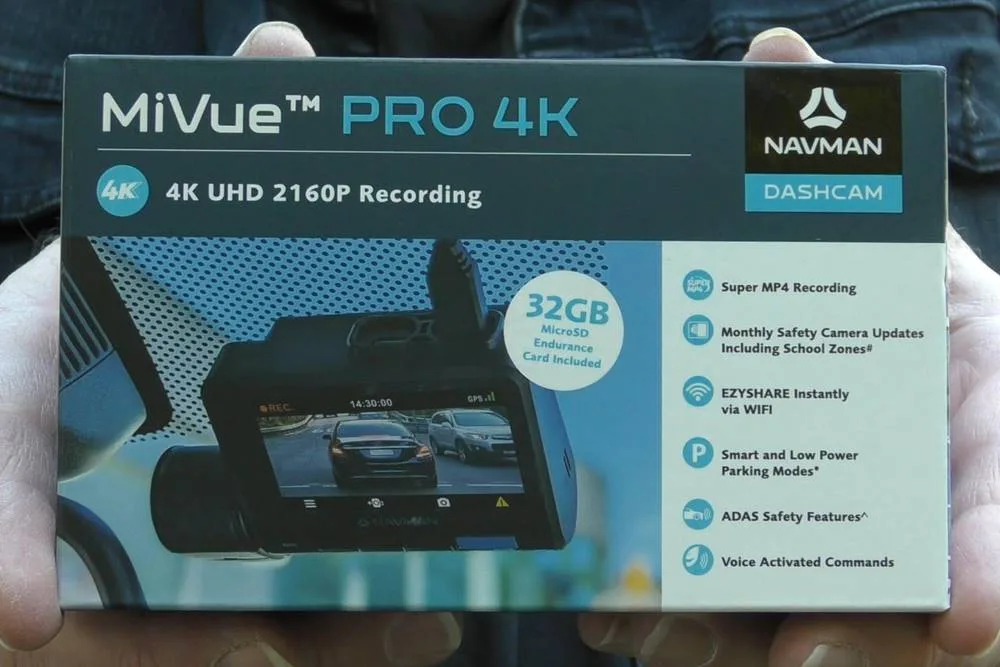
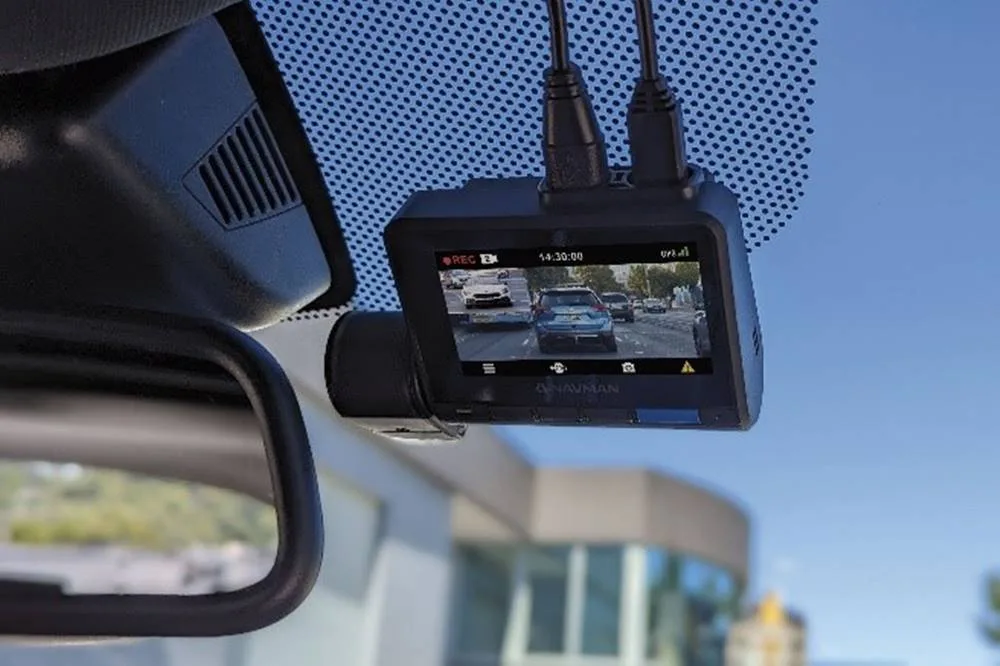
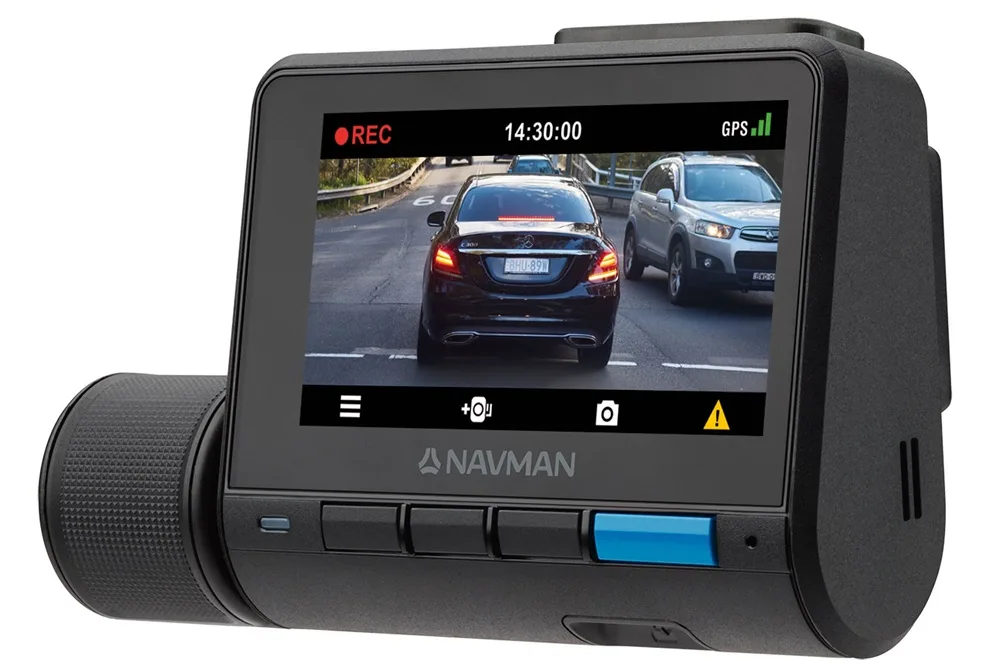
ABOVE: 2023 Navman MiVue PRO 4K
The 4K recording is very clear, and unlike previous models, the GPS and other data, is hard coded to the bottom of the video. On older Navman dashcams, the information is within another file.
The camera writes every 2 seconds. This reduces the chance of corrupting the full 1-minute file should the SD card be removed prior to file completion. In older cameras, removing the SD card between writes would render the entire minute of video unreadable, the most common customer complaint according to Navman.
The video is broken into 1 minute sections, and if the emergency recording is triggered, 1 minute either side of the event is moved to an “Events” folder, and can’t be overwritten without user permission. The emergency recording can be set off either by voice, of the shock sensors.
It is important to use the SD card that comes with the camera, or one of equal quality. Navman has an online tool HERE to enter the model number and find the correct SD card.
NOTE: if the contents are not downloaded and the Event folder fills, the camera will ask you if you want to write over the existing content.
Installation:
Remembering to bring something to cut through the plastic seals on the boxes, installation takes less than 5 minutes.
Neither the 3M mount nor the plastic sheet can be reused.
Menus:
The on-screen system can be navigated by 4 buttons along the bottom of the unit. You can fettle the ADAS features and speed warnings, and I suggest muting the audio warnings to keep your sanity in tact.
ADAS will warn of lane changes, and cars moving off in front. It will also warn of impending crashes, but if your car is newish, that will be in your car anyway. It does add newer features to old and classic cars which is a bonus.
You’ll be able to connect to WiFi, but this stops the camera recording. The app must be installed on your phone, and will be able to view video and share to social media or upload to insurers.
Warranty and trouble shooting
First, Navman is an Australian company that designs and specifies devices here, then manufactures them in China. There is a 1-year warranty, and an Australia call centre, HOORAH! If there are issues, repairs are done in Sydney, with devices sent back (free of charge with an RMA during warranty), or taken back to the retailer.
Turnaround is usually within the week.
Ease of use:
After the 5 minutes installation, you should only need to reformat your SD card once. You can check the health of the SD car in the phone app, but unless you want to connect to WiFi, you probably won’t need to touch the camera unless there is a nasty incident.
Quick facts:
- Price: $369 or $529 with rear camera added
- 4K recording
- Not compatible with Naman desktop app
- Compromised files greatly reduced by 2 second data writes
- ADAS (advance driver assistance system) included
- Voice control (limited number of options)
Other GayCarBoys Navigation Stories
- Why Some DashCam Files Are Unreadable – Navman Pro 4K Test
- New and Improved Navman – MiVue Pro 4K Dashcam – What’s in it?
- Navman’s New MiVue Alta Dash Cam Looks Like a Built-In OEM model
- How to Win a Navman Dashcam
- Win a Navman MiVue 150 -Unboxing, Review and Competition
- Navman MiVue Sensor XL DC & MiCam GPS 1 year Later Dashcam REVIEW
- Why Everyone Needs A NavMan DashCam
- Unboxing my New Navman Sensor XL DC Dashcam: Why it is BETTER
- Is Viofo A119 Mini 2 The Best Dashcam? DISCOUNT
- Unboxing & Mini Review: GKU D100 Dashcam
#navmanmivuepro4k #gaycarboys #alanzurvas
navman mivue pro 4k, gaycarboys , alan zurvas

Alan Zurvas is the founder and editor of Gay Car Boys, Australia's leading LGBTQI+ automotive publication. Before launching GCB in 2008, Alan's automotive writing was published in SameSame.com.au and the Star Observer. With over 16 years of hands-on car reviewing experience, Alan brings an honest, irreverent voice to every review — championing value and innovation over brand loyalty.
Leave a Reply